Daily & Weekly Insights
See your screen time trends over days and weeks. Understand when you're most productive with detailed analytics and visual breakdowns of your usage patterns.
 ScreenForge — Daily & Weekly Insights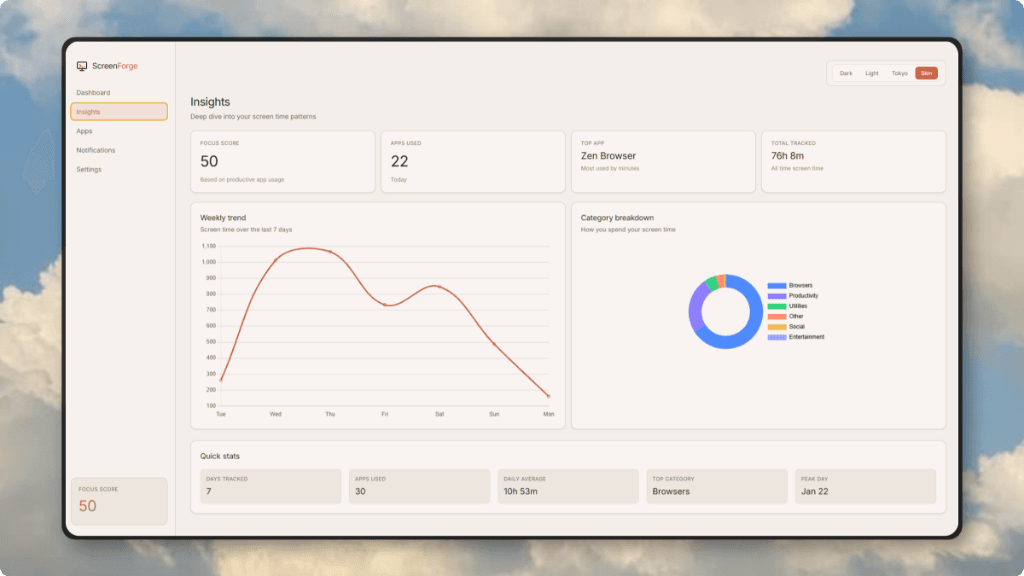

A native Windows dashboard that tracks your app usage, categorizes habits, and keeps all your data private and local. No accounts, no cloud, no tracking.
ScreenForgeEverything you need to understand and optimize your digital habits.
See your screen time trends over days and weeks. Understand when you're most productive with detailed analytics and visual breakdowns of your usage patterns.
ScreenForge — Daily & Weekly InsightsKnow exactly which apps consume your time. Get detailed per-app statistics, usage history, and smart categorization into Productivity, Social, Entertainment, and more.
ScreenForge — App Usage Breakdown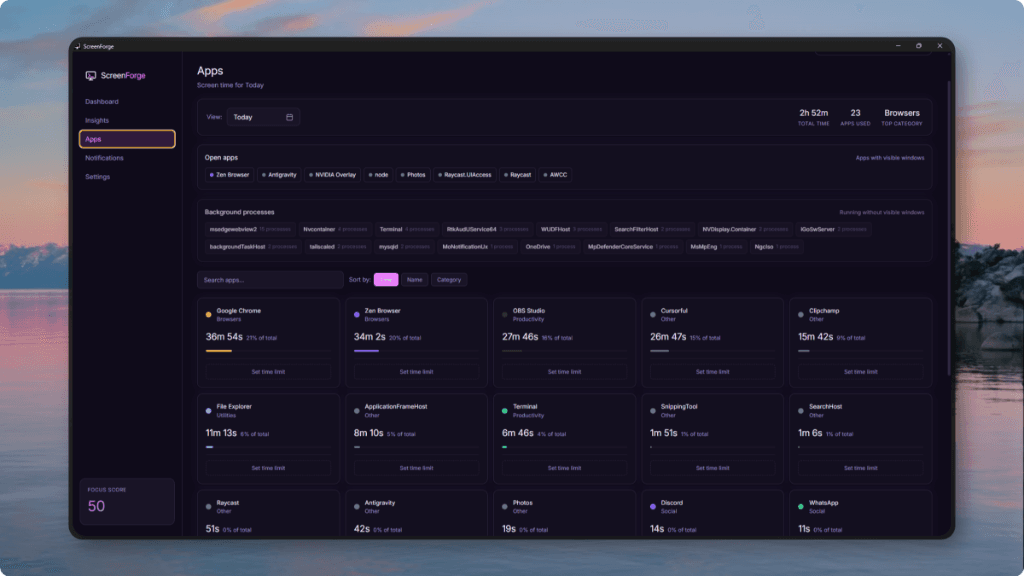
Monitor which apps interrupt you the most. Take control of your notification overload and identify the biggest sources of distraction throughout your day.
ScreenForge — Notification Tracking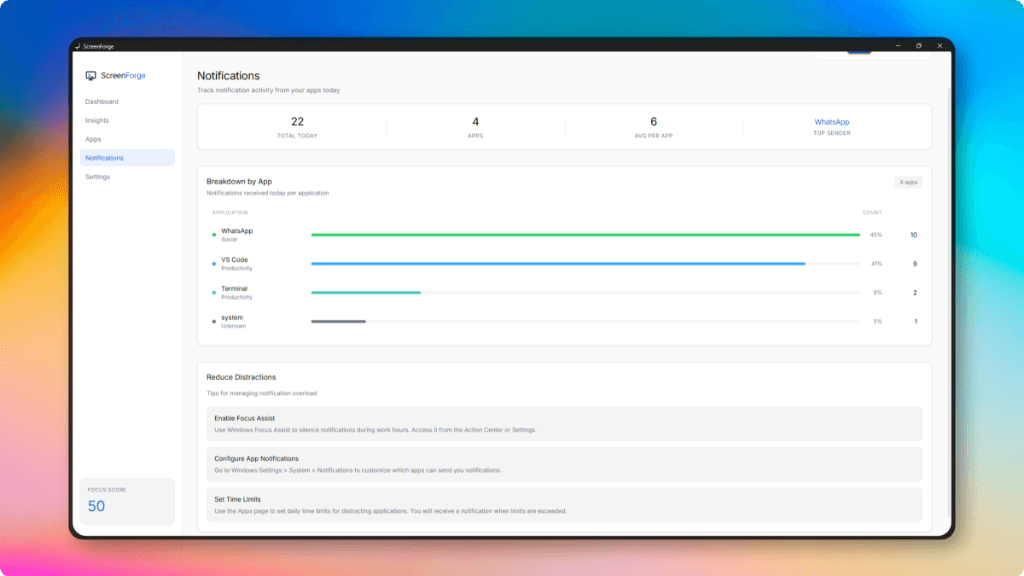
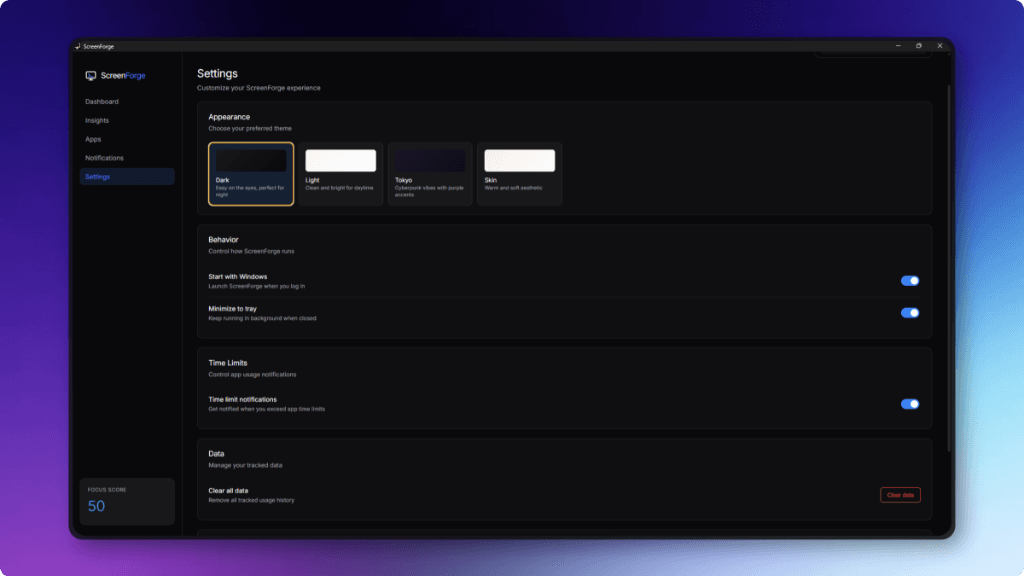
Switch between Dark, Light, Tokyo Night, and Skin themes. Personalize your dashboard to match your aesthetic and preferences.
ScreenForge — Customizable Themes